
What you need
- An Amazfit Helio Strap, charged and already paired with the Zepp app
- An Android phone with Bluetooth on
- Heart Rate Widget installed from Google Play
How to connect the Helio Strap, step by step
- Wear the strap and open Zepp. The strap needs skin contact to read your pulse. Check that Zepp shows it as connected.
- Turn on Heart Rate Broadcast. In Zepp, tap the Device tab, choose Helio Strap, open Heart Rate Broadcast and switch the toggle on. This lets other apps read the strap's heart rate over standard Bluetooth.
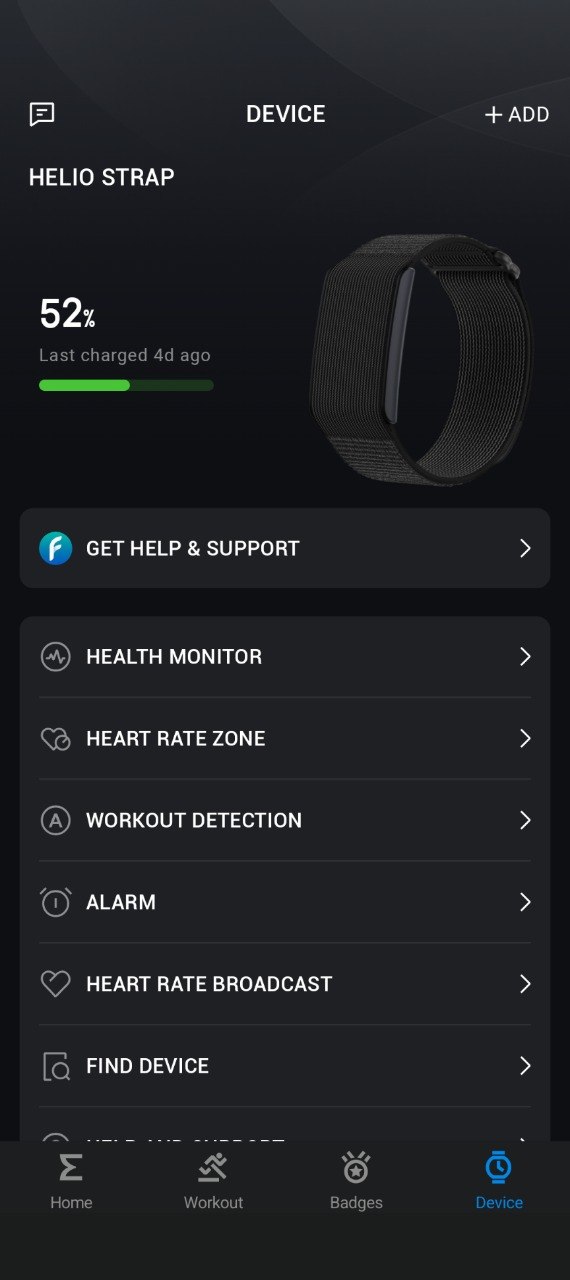
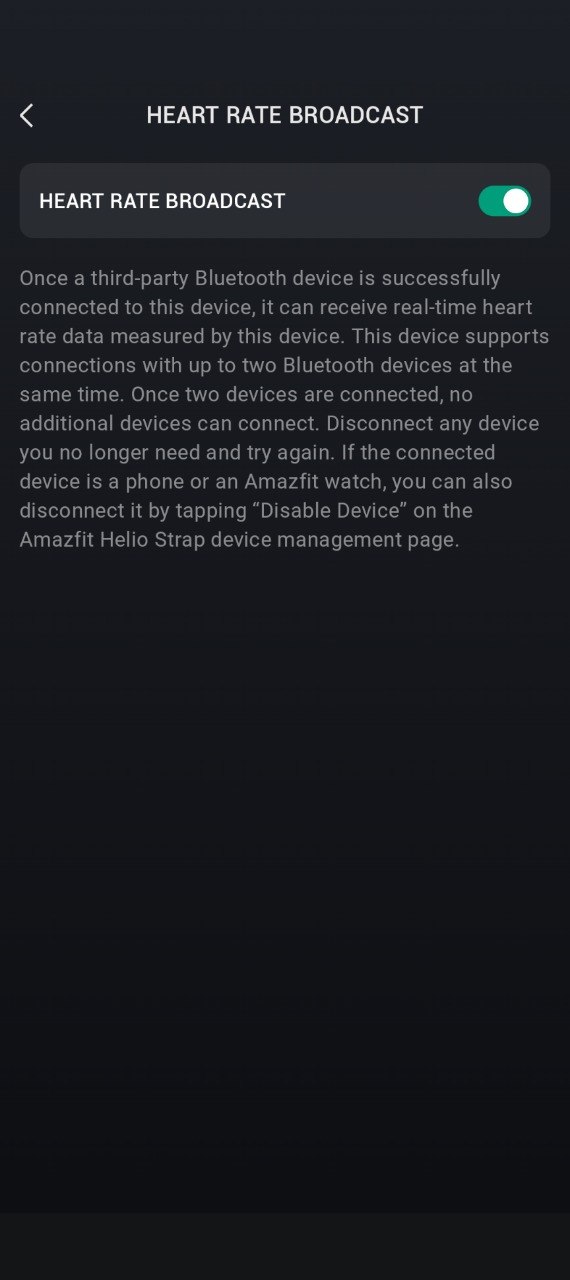
- Open Heart Rate Widget and scan. Allow the Bluetooth and notification permissions when asked, then pick your Helio Strap from the list.
- Add the widget. Long-press an empty spot on your home screen, choose Widgets and add Heart Rate Widget. Your BPM updates live, even with the app closed.
Keep it running in the background
Some Android phones stop background apps to save battery. Open Device Info in the app and check the Background reliability list. It tells you if battery restrictions or blocked notifications would stop monitoring, and opens the right settings screen for you.
Helio Strap troubleshooting
Where is the heart rate setting in the Zepp app?
Open the Zepp app, tap the Device tab, choose Helio Strap and open Heart Rate Broadcast. Switch the toggle on.
Will this stop the Zepp app from working?
No. Heart Rate Widget only listens to the standard Bluetooth heart rate signal. It never logs in to your Amazfit account and never changes settings on the strap.
Why can't Heart Rate Widget find my Helio Strap?
Check that Heart Rate Broadcast is on in Zepp and that you are wearing the strap. The strap connects to two Bluetooth devices at most, so if two are already connected, disconnect one and scan again.
It connects but shows no heart rate. Why?
The strap sends no pulse when it is off your skin. Wear it snugly and wait a few seconds. The widget shows whether the strap is off skin, charging or reconnecting.
Why did the widget stop updating after a while?
Usually phone battery restrictions. Open Device Info in the app and follow the Background reliability checklist, and set the app's battery usage to unrestricted in App info.
Can I try the app without a strap?
Yes. Tap Try demo to see the widget and notification with simulated data, clearly labelled as demo.
Other heart rate monitors
Heart Rate Widget works with any Bluetooth LE monitor that uses the standard Heart Rate profile. See the full list of supported heart rate monitors.